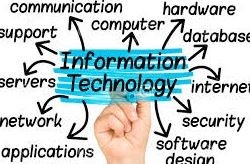

These are syllabus for Introduction of Information Technology Course (Final 27 September 2016).
Description :
This subject provides an introductory understanding of computer hardware and software and of the units that comprise a computer system. It Gives an understanding of the functions of computer systems and the interaction between hardware, software and the computer user. It develops a knowledge of how the data is prepared for computer processing and how it is represented as algorithms and machine processed at a basic level. It places particular emphasis on systems architecture, hardware, and software (operating systems). It introduces the Internet and the basics of the production of Web documents. The contemporary topic of pervasive computing is Introduced as well.
Upon successful completion of this subject, students should:
- be able to define and appropriately use information technology terms;
- be able to identify computer hardware components and describe their function;
- be able to describe the essential elements of the computer’s architecture and discuss how this architecture functions;
- be able to describe the characteristics and representations of data, and interpret and compare data in different representations;
- be able to identify and describe telecommunication components;
- be able to describe the characteristics of operating systems and compare different operating systems;
- be able to use a hypertext markup language to produce basic Web documents;
- be able to discuss the general trends in technologies including examples of leading edge developments;
UNIT 1A: The Mobile World, Information Technology, & Your Life
1.1 Information Technology & Your Life: The Future Now
1.2 Information Technology Is Pervasive: Cellphones, Email, the Internet, & the E-World
UNIT 1B: The Basics of Information Technology
1.3 The Practical User: How Becoming tech Smart Benefits You
1.4 The “All-Purpose Machine”: The Varieties of Computers
1.5 Understanding Your Computer
1.6 Where Is Information Technology Headed?
Reference :
USING INFORMATION TECHNOLOGY: A PRACTICAL INTRODUCTION TO COMPUTERS & COMMUNICATION: COMPLETE VERSION Published by McGraw-Hill, 2010
UNIT 2A: The Internet & the Web
2.1 Connecting to the Internet: Narrowband, Broadband, & Access Providers
2.2 How Does the Internet Work?
2.3 The World Wide Web
UNIT 2B: The Riches & Risks of Internet Use
2.4 Email & Other Ways of Communicating over the Net
2.5 The Online Gold Mine: Telephony, Multimedia, Webcasting, Blogs, E-Commerce, & Social Networking
2.6 The Intrusive Internet: Snooping, Spamming, Spoofing, Phishing, Pharming, Cookies, & Spyware
Referenec :
USING INFORMATION TECHNOLOGY: A PRACTICAL INTRODUCTION TO COMPUTERS & COMMUNICATION: COMPLETE VERSION Published by McGraw-Hill, 2010
- Chapter 3 : Software: Tools for Productivity & Creativity
UNIT 3A: System Software: The Power behind the Power
3.1 The Operating System: What It Does
3.2 Other System Software: Device Drivers & Utility Programs
3.3 Common Features of the User Interface
3.4 Common Operating Systems
UNIT 3B: Application Software: Getting Started
3.5 Application Software: Where to Get It, How to Use It
3.6 Data Files & Program Files
3.7 Word Processing Software
3.8 Spreadsheet Programs
3.9 Database Software
3.10 Office Suites & Integrated Packages
3.11 Specialty Application Software
Referenec :
USING INFORMATION TECHNOLOGY: A PRACTICAL INTRODUCTION TO COMPUTERS & COMMUNICATION: COMPLETE VERSION Published by McGraw-Hill, 2010
UNIT 4A: Processing: The System Unit, Microprocessors, & Main Memory
4.1 Microchips, Miniaturization, & Mobility
4.2 Representing Data Electronically
4.3 Inside the System Unit: Power Supply, Motherboard, & Microprocessors
4.4 The Central Processing Unit & the Machine Cycle
4.5 Memory
4.6 Expansion Cards, Bus Lines, & Ports
UNIT 4B: Secondary Storage
4.7 Secondary Storage
4.8 Future Developments in Processing & Storage
Referenec : USING INFORMATION TECHNOLOGY: A PRACTICAL INTRODUCTION TO COMPUTERS & COMMUNICATION: COMPLETE VERSION Published by McGraw-Hill, 2010
- Chapter 5 : Communications, Networks, & Cyberthreats / CCNA Chapter 1
UNIT 5A: Input Hardware
5.1 Keyboards
5.2 Pointing Devices
5.3 Source Data-Entry Devices
5.4 The Future of Input
UNIT 5B: Output Hardware
5.5 Softcopy Output: Display Screens
5.6 Hardcopy Output: Printers
5.7 Mixed Output: Sound, Voice, & Video
5.8 The Future of Output
5.9 Quality of Life: Health & Ergonomics
Referenec :
- USING INFORMATION TECHNOLOGY: A PRACTICAL INTRODUCTION TO COMPUTERS & COMMUNICATION: COMPLETE VERSION Published by McGraw-Hill, 2010
- CCNA 1 Modul 1
- Field Trip to Polinela data center
- Chapter 6 : System Number (Decimal, biner, and Hexa decimal)
Referenec :
- CCNA chapter 8
- MID EXAM
- Chapter 7 : The Era of Big Data: Databases, Information Systems, & Artificial Intelligence
UNIT 8A: Files & Databases
8.1 Managing Files: Basic Concepts
8.2 Database Management Systems
8.3 Database Models
8.4 Data Mining
UNIT 8B: Big Data, Information Systems, & Artificial Intelligence
8.5 The Evolving World of Big Data
8.6 Information Systems in Organizations: Using Databases to Help Make Decisions
8.7 Artificial Intelligence
8.8 Artificial Life, the Turing Test, & the Singularity
Referenec :
- USING INFORMATION TECHNOLOGY: A PRACTICAL INTRODUCTION TO COMPUTERS & COMMUNICATION: COMPLETE VERSION Published by McGraw-Hill, 2010
UNIT 9A: Security, Privacy, & Surveillance Concerns
9.1 Security Issues: Threats to Computers
& Communications Systems
9.2 Security Safeguards: Protecting Computers & Communications
9.3 Privacy & Surveillance: Data Collection & Spies
UNIT 9B: Other Social, Economic, & Political Issues
9.4 Truth Issues: Manipulating Digital Data
9.5 Quality-of-Life Issues: The Environment, Mental Health, Child
Protection, & the Workplace
9.6 Economic & Political Issues: Employment & the Haves/Have Nots
Referenec :
- USING INFORMATION TECHNOLOGY: A PRACTICAL INTRODUCTION TO COMPUTERS & COMMUNICATION: COMPLETE VERSION Published by McGraw-Hill, 2010
11. Chapter 9 : Building Systems & Applications: Software Development, Programming, & Languages
UNIT 10A: Systems Development & Programming
10.1 Systems Development & the Life Cycle of a Software Project
10.2 Programming: Traditionally a Five-Step Procedure
UNIT 10A: Programming Languages
10.3 Five Generations of Programming Languages
10.4 Programming Languages Used Today
10.5 Object-Oriented & Visual Programming
10.6 Markup & Scripting Languages
Referenec :
- USING INFORMATION TECHNOLOGY: A PRACTICAL INTRODUCTION TO COMPUTERS & COMMUNICATION: COMPLETE VERSION Published by McGraw-Hill, 2010
12. Chapter 10 : WoT and IoT (BASICS OF THE IOT AND THE WOT )
- Defining the Internet of Things
- Enter the Web of Things
- Web of Things scenario : connected hote
- Comparing IOT and WOT
- The internet of Thing – a brief history
- Use Cases – Why connected objects?
- Wireless sensor network and distributed sensing
- Wearables and quantified self
- Smart homes and buildings
- Smart cities and enery grids
- Smart manufacturing and Industry 4.0
- Smart logistic and supply chains
- Marketing 2.0
- The Web of Things – a supercharged Internet of Things
- Easier to program
- Open and extensible standart
- Fast and easy to deploy, maintain, and integrate
- Loose coopling between elements
- Widely used security and privacy mecahnisms
- Wot – The shortcomings
Reference :
- https://manning-content.s3.amazonaws.com/download/8/50f2fa4-fa55-4628-8c35-f1b91d8688d4/SampleChapter_01.pdf
- https://www.tutorialspoint.com/internet_of_things/index.htm
- https://www.w3.org/WoT/
- http://www.cisco.com/c/en/us/solutions/internet-of-things/resources/case-studies.html
- http://download.microsoft.com/download/F/0/2/F02F4931-EDFD-490D-B92A-C19B359D4C24/Create_the_Internet_of_Your_Things_Top_10_Benefits.pdf
- http://www.intel.co.id/content/www/id/id/internet-of-things/overview.html
13. Chapter 11 : Cloud Computing dan Virtualization Technology
Reference :
14. Chapter 12 : E-business and E-comerce
E-Business
- What Is E-Business?
- The E-Business Sweepstakes
E-Commerce
- OVERVIEW
- Features Traditional Commerce v/s E-Commerce
- ADVANTAGES
- Advantages to Organizations
- Advantages to Customers
- Advantages to Society
- DISADVANTAGES
- Technical Disadvantages
- Non-Technical Disadvantages
- BUSINESS MODELS
- Business – to – Business
- Business – to – Consumer
- Consumer – to – Consumer
- Consumer – to – Business
- Business – to – Government
- Government – to – Business
- Government – to – Citizen
- PAYMENT SYSTEMS
- Credit Card
- Credit Card Payment Process
- Debit Card
- Smart Card
- E-Money
- Electronic Fund Transfer
- SECURITY SYSTEMS
- Measures to ensure Security
- Security Protocols in Internet
- B2B MODEL
- Key Technologies
- Architectural Models
- B2C MODEL
- Consumer Shopping Procedure
- Disintermediation and Re-intermediation
- EDI
- EDI Documents
- Steps in an EDI System
Advantages of an EDI System
Reference :
15. Chapter 13 : Information and Electronic Transaction law indonesia
Reference :
16. Final Exam
Ebook could be dowloade here.

Leave a Reply